cupthread-android-sdk
Native Kotlin + Jetpack Compose SDK for CupThread — add user feedback, feature-request voting, a public roadmap, and a What's-New changelog to any Android 8.0+ (API 26) app with a few lines of Compose.
Everything the SDK shows is driven by the CupThread console: color theme, which surfaces are enabled, What's-New overlay copy, and anonymous-access switches are fetched from the server at runtime, so you can restyle or gate features without shipping an app update.
Requirements
Android API 26+ (Android 8.0)
Jetpack Compose (Material 3)
Kotlin coroutines for calling the API client
Quick start
// 1. Create the API client once per process.
val client = FeedbackClient(
    FeedbackClientConfig(
        baseUrl = "https://api.cupthread.com",
        appKey = "app_live_yourAppKey", // from the CupThread console
    )
)

// 2. Get the stable anonymous user token.
val userToken = UserTokenStore.create(context).token

// 3a. Drop in a ready-made screen:
setContent {
    CupThreadTheme(client) {
        RoadmapBoardScreen(client = client, userToken = userToken)
    }
}

// 3b. …or drive the API directly:
scope.launch {
    val result = client.submit(
        FeedbackDraft(
            title = "Keyboard covers the send button",
            description = "On the login screen the keyboard hides the button.",
        ),
        userToken = userToken,
    )
}Core concepts
Client — dev.cupthread.feedback.FeedbackClient exposes the whole public API as suspend functions and performs network I/O on Dispatchers.IO. It is stateless and safe to share; create one instance per process and pass it to the screens.
User token — dev.cupthread.feedback.UserTokenStore persists a random UUID in SharedPreferences on first access. The token identifies the user for voting state, own-request flags, and changelog subscriptions — no account or sign-in required.
Console configuration — call dev.cupthread.feedback.FeedbackClient.fetchAppConfig to read dev.cupthread.feedback.PublicAppConfig: display metadata, attachment size limits, the allowAnonymous* privacy switches, and the dev.cupthread.feedback.SdkAppearance (theme + feature flags). The ready-made screens read this themselves before rendering.
Surfaces & theming — dev.cupthread.feedback.ui.SdkSurface gates a UI tree on a dev.cupthread.feedback.SdkFeature flag and applies the console-selected dev.cupthread.feedback.SdkTheme; dev.cupthread.feedback.ui.CupThreadTheme applies the same theming to trees that host SDK composables directly, such as the What's-New overlay.
Screenshots
| Roadmap Board | Feature Requests | Submit Request |
|---|---|---|
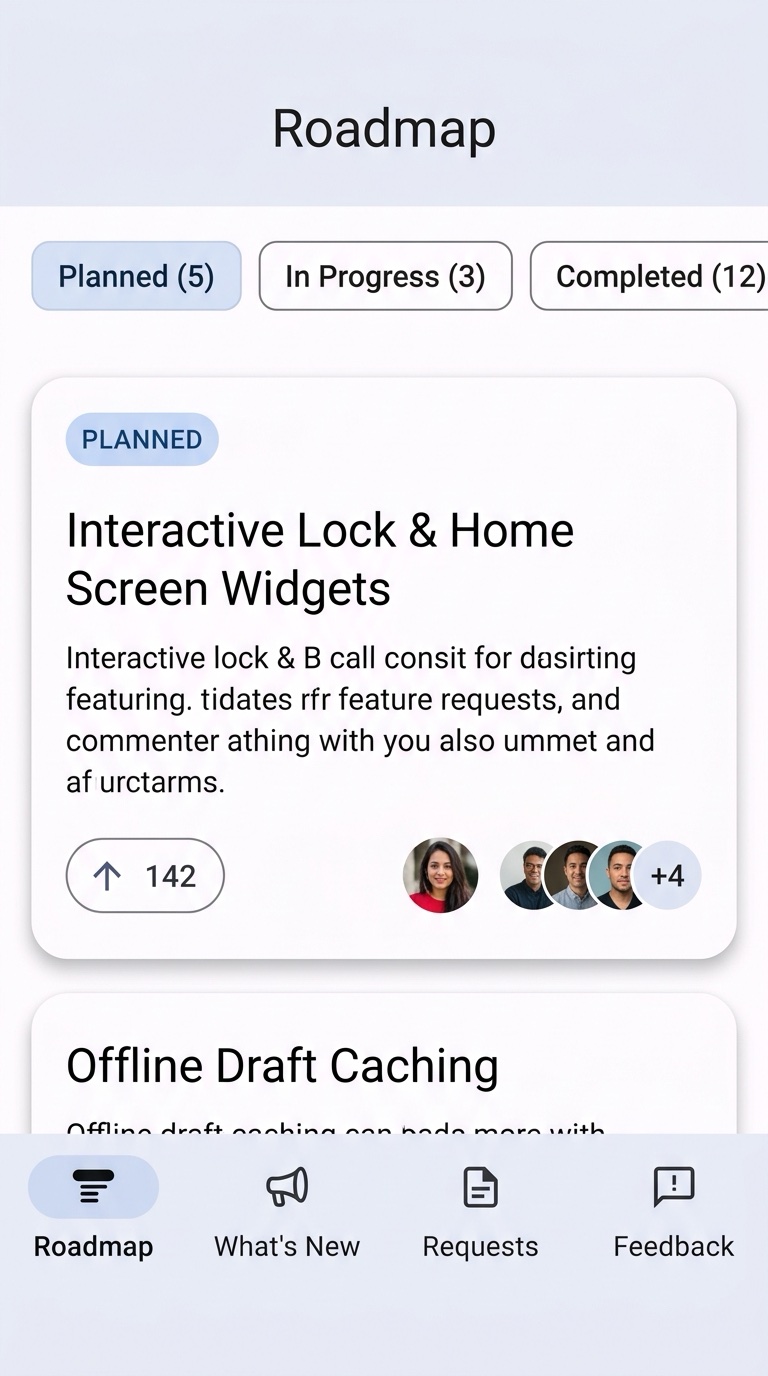 | 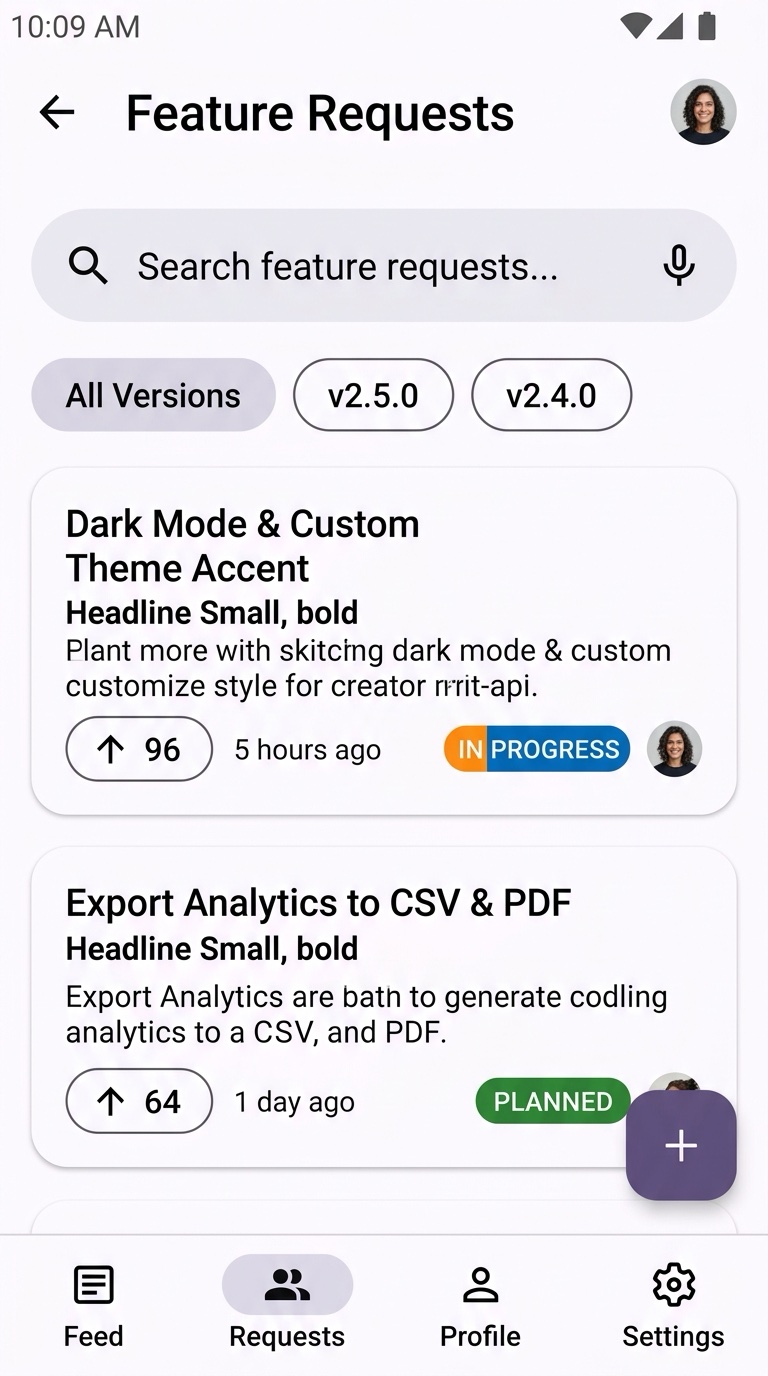 | 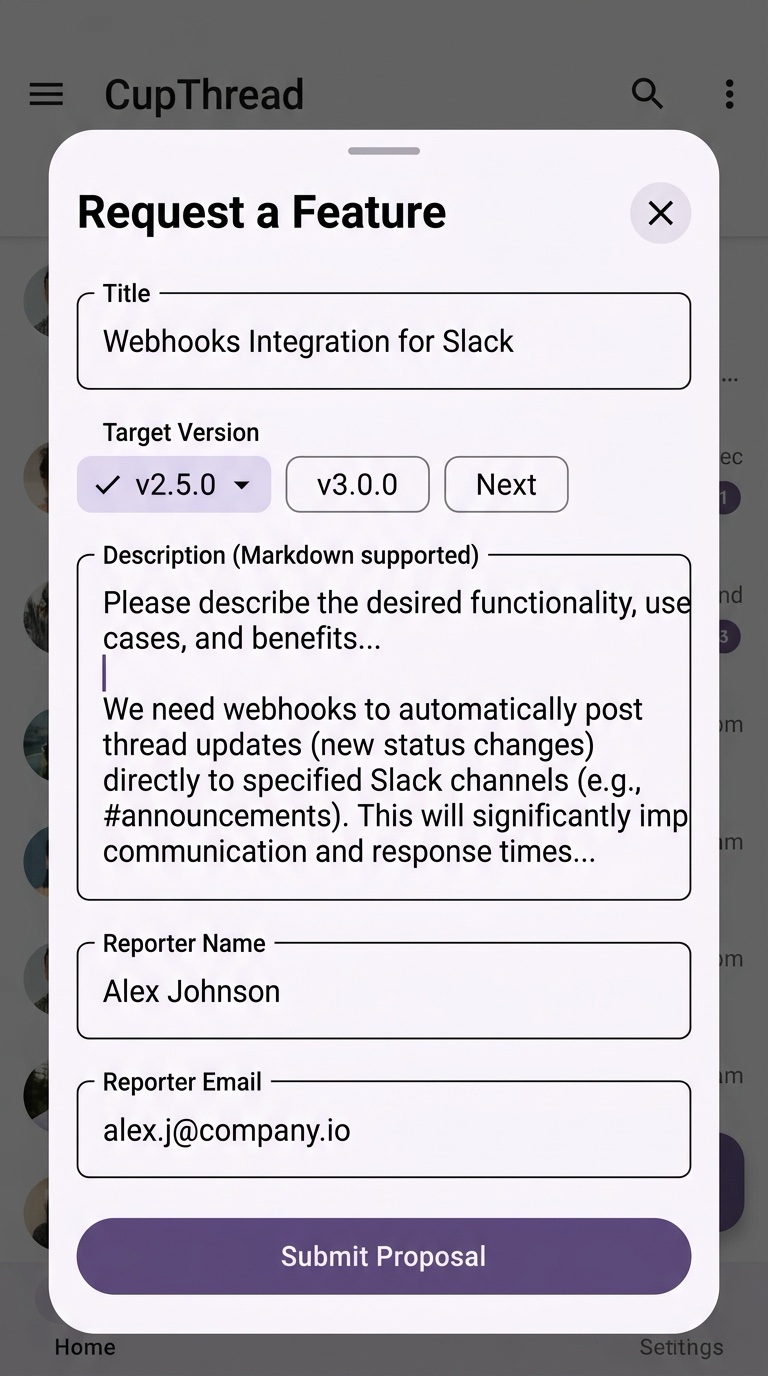 |
| Kanban columns, stage chips & vote counts | Optimistic voting, search & version filter | User request compose sheet |
| What's New / Changelog | Changelog Overlay | Feedback Composer |
|---|---|---|
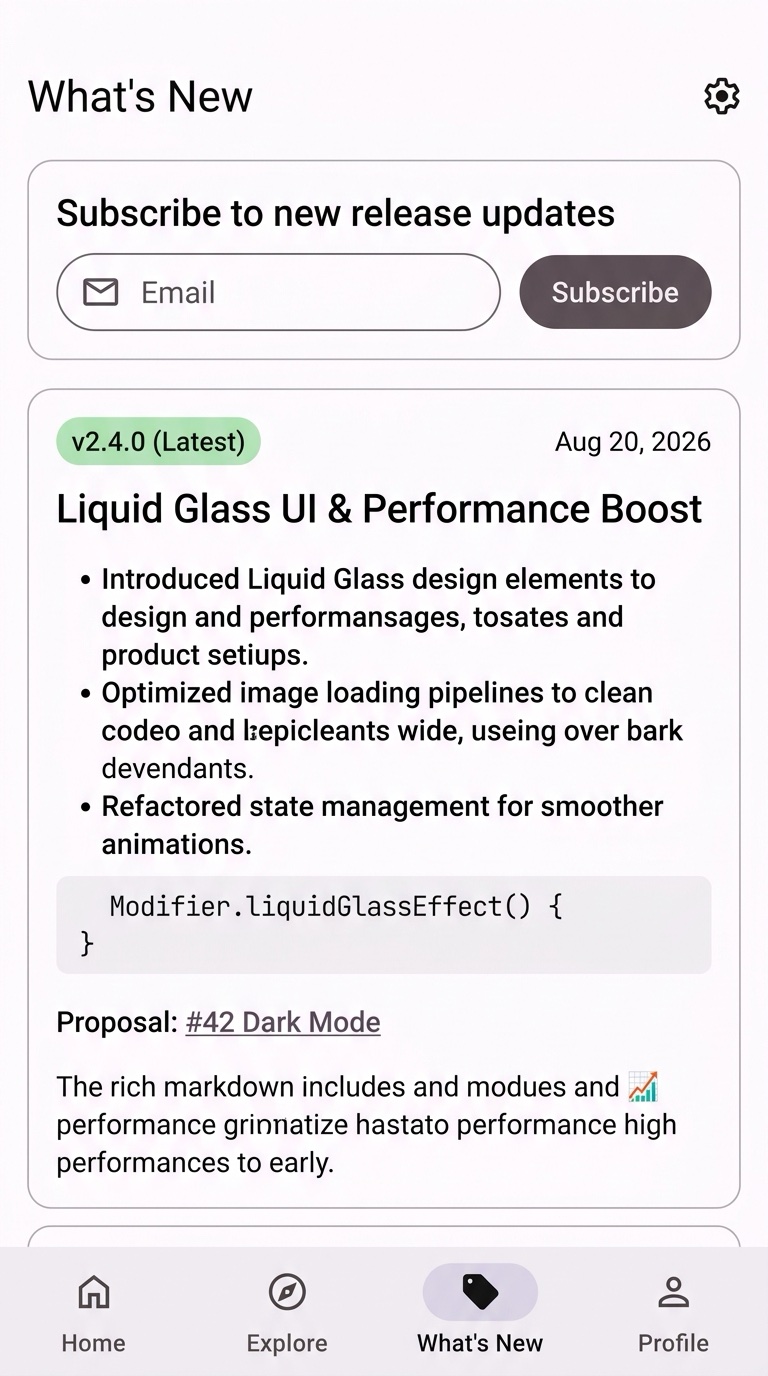 | 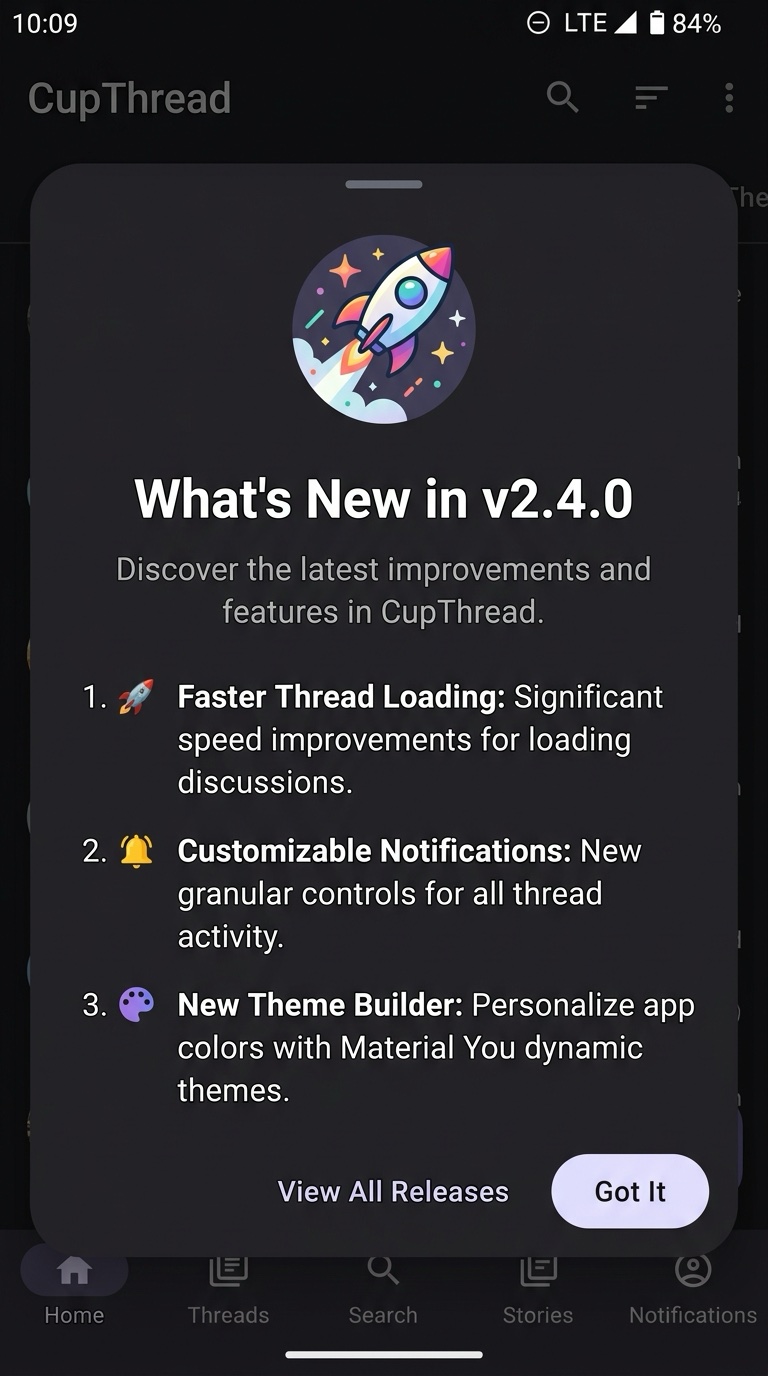 | 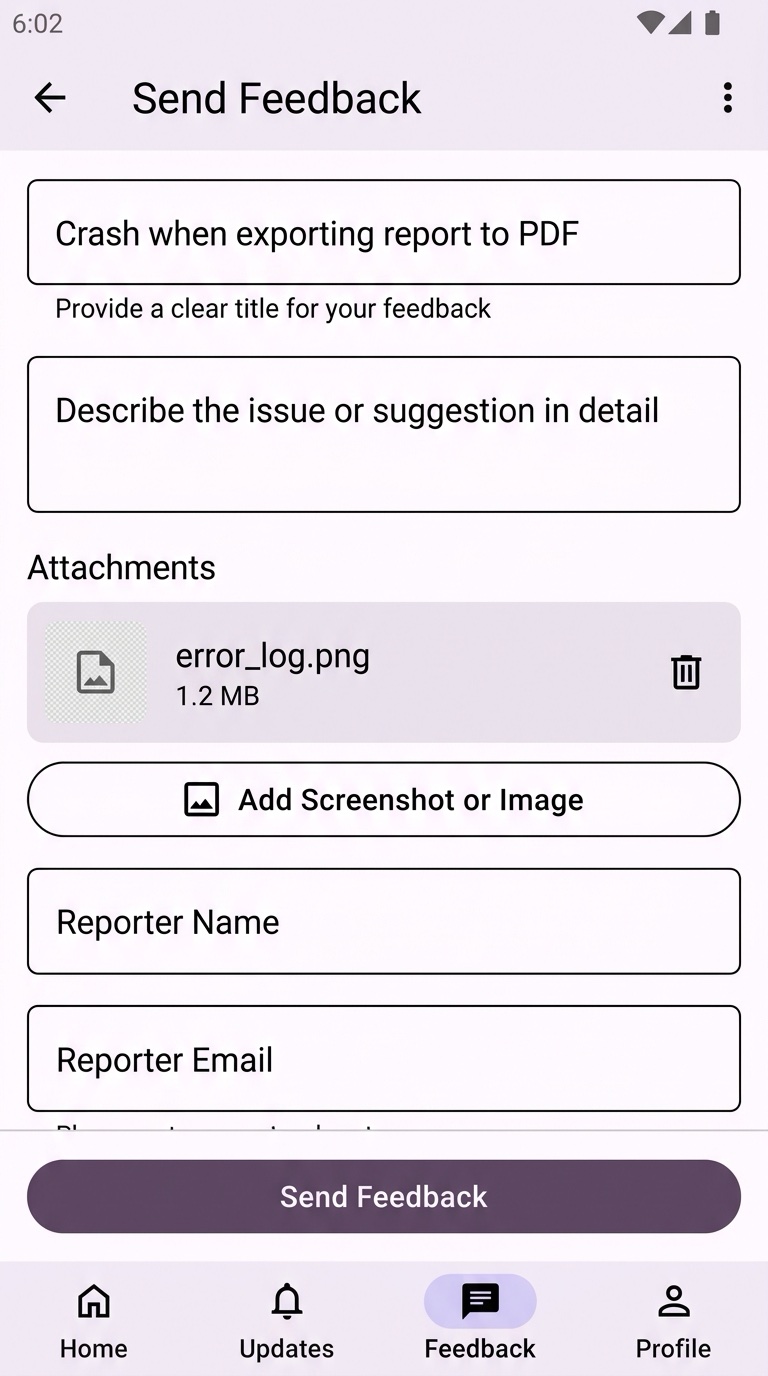 |
| Markdown release notes & email subscribe | In-app What's-New sheet with seen tracking | Structured feedback with auto metadata |
These images are generated from the demo's mocked UI test data.
Error handling
Every client method throws a dev.cupthread.feedback.FeedbackException subclass — catch that type for blanket handling or a specific variant for fine-grained UX:
try {
    client.submit(draft, userToken)
} catch (error: FeedbackException.UnexpectedStatus) {
    showSnackbar("Upload failed (HTTP ${error.code})")
} catch (error: FeedbackException) {
    showSnackbar("Network error — please retry")
}