present
Convenience extension function that fetches console-configured What's-New copy and presents a modal bottom sheet dialog directly over an Android Activity.
This function suspends until the user dismisses the dialog, allowing straightforward sequential integration within Activity lifecycles or coroutine launch scopes.
Behavior & Thread Safety
Fetches changelog entries and configuration asynchronously on Dispatchers.IO.
When onlyIfUnseen is
true, skips presentation if the latest release note was already viewed on this device.When autoMarkSeen is
true, automatically records the latest release note in ChangelogStore on presentation.Dynamically mounts a translucent Compose dialog on the main UI thread.
Wraps the content in CupThreadTheme to ensure console-selected theme palettes are honored.
Resumes with
falseimmediately if the changelog feature is disabled, if no entries exist, or if already seen.Resumes with
trueonce the user views and closes the sheet.
Example Usage
class MainActivity : ComponentActivity() {
    private val feedbackClient by lazy {
        FeedbackClient(FeedbackClientConfig("https://api.cupthread.com", "app_live_sample123"))
    }

    override fun onResume() {
        super.onResume()
        lifecycleScope.launch {
            val shown = feedbackClient.presentLatestChangelog(
                activity = this@MainActivity,
                onlyIfUnseen = true
            )
            if (shown) {
                Log.d("Changelog", "User viewed new What's-New release notes.")
            }
        }
    }
}Screenshot
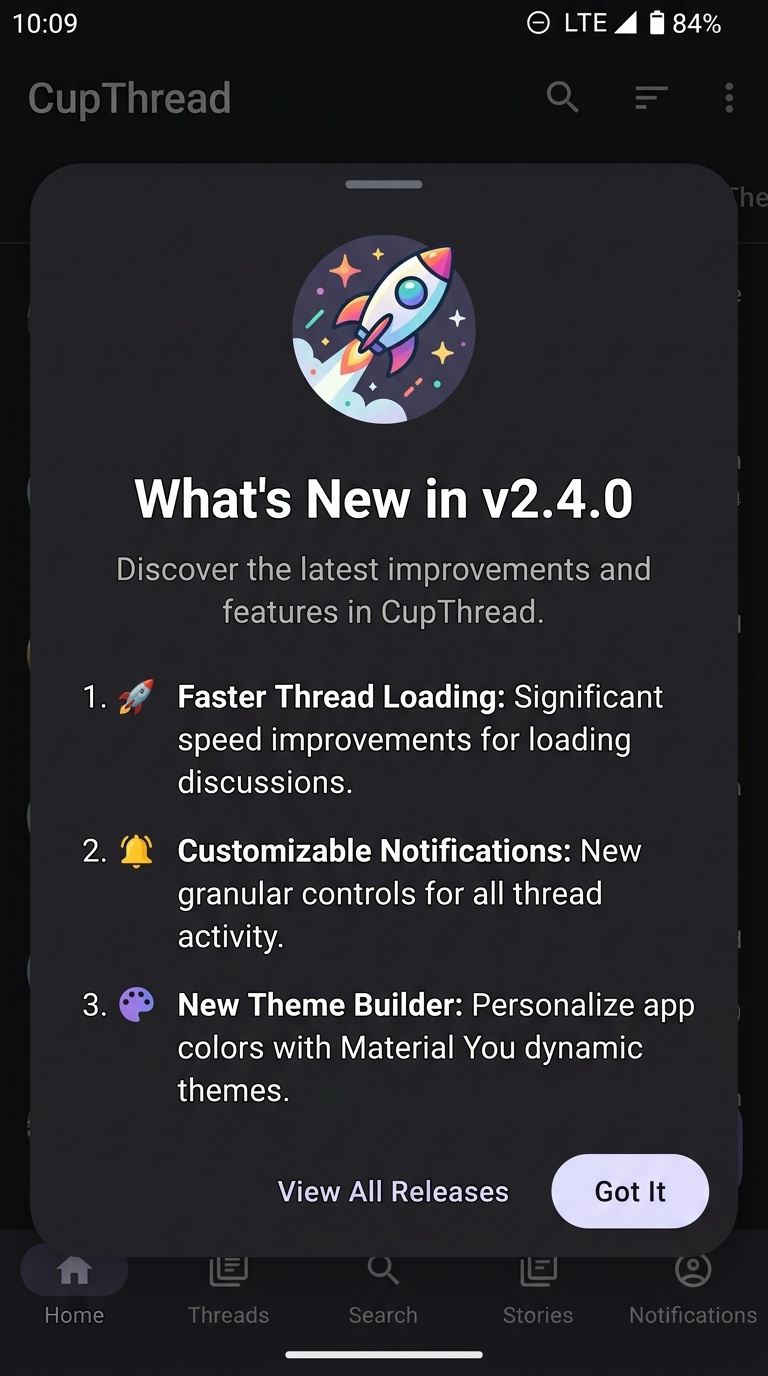
Receiver
The FeedbackClient used to fetch changelog entries and appearance configuration.
Return
false if the changelog is disabled, empty, or already seen; true if the sheet was presented and dismissed.
Parameters
The host Android Activity over which the dialog window will be shown.
If true, checks ChangelogStore and skips presentation if the latest version was already seen.
If true, automatically marks the latest version as seen upon presentation.